
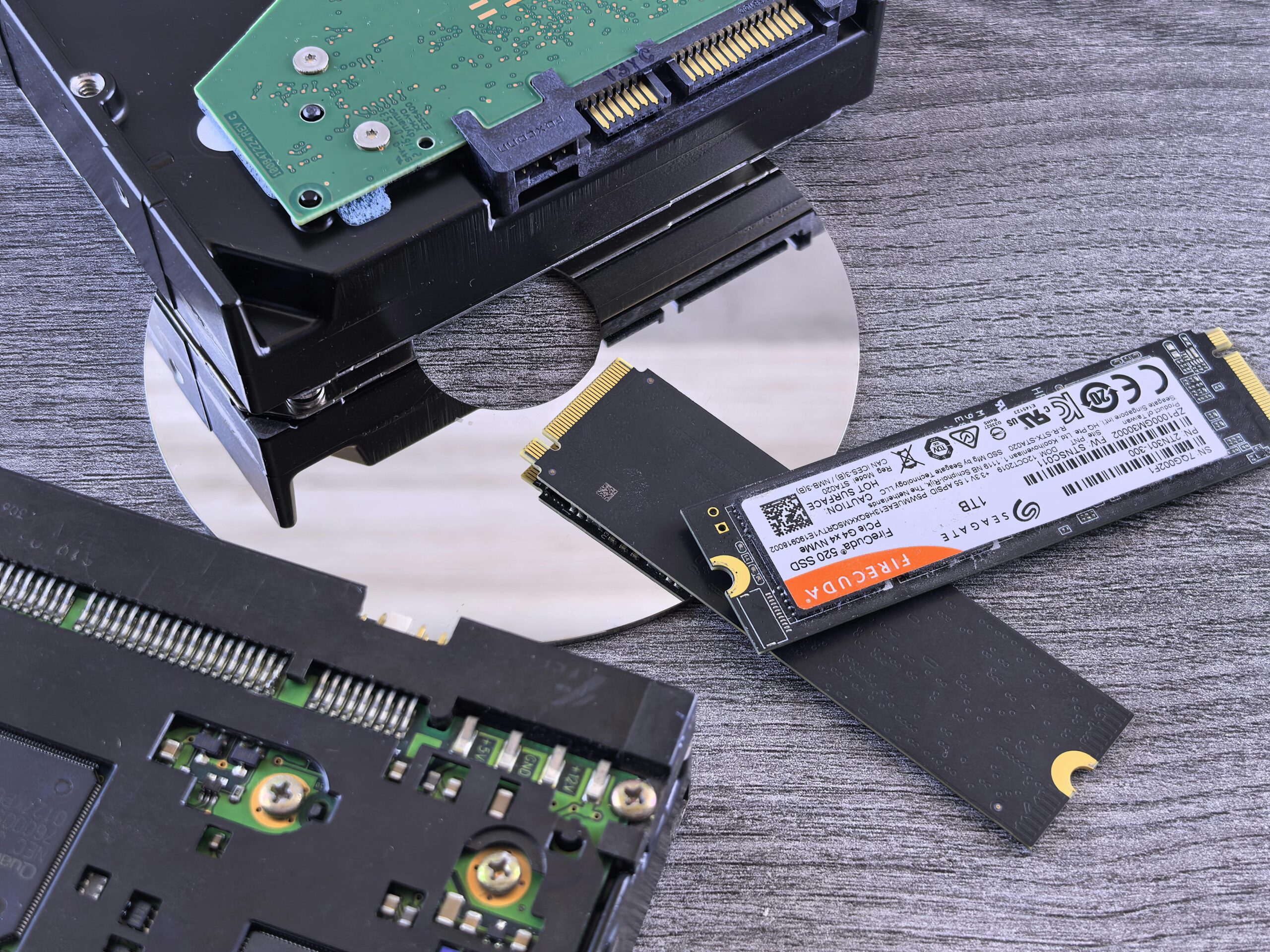

NVMe SSD vs M.2 SSD Performance Comparison
The world of solid-state drives has evolved rapidly over the past decade, bringing consumers faster storage technology, smaller form factors, and better reliability. Two of the most common terms shoppers encounter today are “NVMe SSD” and “M.2 SSD.” While shoppers often confuse these as competing technologies, the reality is that NVMe and M.2 are not the same type of specification. One defines the protocol used for data transfer, and the other defines the physical form factor of the drive. Yet the confusion remains because many NVMe drives use the M.2 form factor, creating overlapping terminology.
This comprehensive performance comparison explains what NVMe SSDs and M.2 SSDs actually are, how they differ, their real-world performance differences, and which one is right for various use cases. You will also find a detailed comparison table, benchmarks, buying tips with affiliate placeholders, and an FAQ section to help you make an informed decision.
Understanding the Difference Between NVMe and M.2
What Is M.2?
M.2 is a physical form factor standard for storage devices and expansion cards. It is a small, rectangular card-shaped design intended for compact devices such as laptops, mini-PCs, and desktops that prefer a cable-free installation. M.2 does not define speed, performance, or protocol. Instead, it supports a variety of interfaces and protocols, such as:
- SATA (AHCI)
- PCIe (NVMe)
- USB
- Wi-Fi and Bluetooth cards
This means that an M.2 SSD can be either SATA-based or NVMe-based, and performance varies drastically depending on which interface it uses.
What Is NVMe?
NVMe (Non-Volatile Memory Express) is a communication protocol specifically designed for modern solid-state drives that use PCI Express (PCIe). Unlike older protocols like AHCI, which were originally created for spinning hard drives, NVMe fully exploits the speed potential of NAND flash memory. As a result, NVMe drives deliver:
- Higher throughput
- Lower latency
- More I/O queues
- Better parallelism
- Superior multitasking performance
NVMe can technically be used in M.2, U.2, PCIe add-in cards, and even enterprise-grade SSDs. However, most consumer NVMe SSDs are sold in the M.2 form factor, which is where much of the confusion originates.
NVMe SSD vs. M.2 SSD: Key Differences Explained
It is technically incorrect to compare NVMe and M.2 as equals because one refers to protocol and the other refers to form factor. However, for the purpose of consumer buying decisions, the comparison typically represents “NVMe M.2 SSDs vs. SATA M.2 SSDs.” The following sections explain how they differ in performance, architecture, speed, and cost.
Performance and Speed Differences
SATA M.2 SSDs share the same interface and protocol as 2.5-inch SATA SSDs. This means they are limited by the SATA III interface, which maxes out at around 550 MB/s. NVMe M.2 SSDs, on the other hand, use PCIe lanes for exponentially higher speeds. Below is a general performance comparison:
| Feature | SATA M.2 SSD | NVMe M.2 SSD |
| Protocol | AHCI | NVMe |
| Interface | SATA III (6 Gbps) | PCIe Gen 3/4/5 |
| Sequential Read | 500–550 MB/s | 3,000–7,500+ MB/s |
| Sequential Write | 400–500 MB/s | 2,500–7,000+ MB/s |
| Latency | Higher | Much lower |
| Queue Support | 1 queue, 32 commands | 64K queues, 64K commands each |
| Best Use Case | Basic computing | Gaming, productivity, servers |
For everyday tasks like browsing and document editing, the difference may not feel dramatic. But for gaming, video editing, virtual machines, and heavy multitasking, NVMe offers significantly better responsiveness.
Real-World Application Performance
Although theoretical benchmarks show dramatic speed differences, real-world benefits vary. NVMe’s advantages become more noticeable when handling:
- Large file transfers
- 4K/8K video editing
- Professional-grade photo editing
- Software development builds
- Running multiple virtual machines
- High-speed game loading and texture streaming
For general office and browsing tasks, a SATA M.2 SSD already provides a major upgrade over traditional HDDs. NVMe simply pushes performance further, especially in workloads that rely on fast storage I/O.
PCIe Generations: Gen 3 vs. Gen 4 vs. Gen 5 NVMe
Not all NVMe drives are equal. PCIe generation plays a major role in determining speed:
- PCIe Gen 3 NVMe: 3,000–3,500 MB/s speeds
- PCIe Gen 4 NVMe: 5,000–7,500 MB/s speeds
- PCIe Gen 5 NVMe: 10,000–14,000+ MB/s speeds
Higher generations also typically produce more heat, which may require better cooling solutions or heatsinks. For gaming, Gen 4 is now the sweet spot, while Gen 5 is ideal for workstation environments.
NVMe vs. SATA M.2 SSD: Pros and Cons
Pros of NVMe SSDs
- Extremely fast read/write speeds
- Superior multitasking capabilities
- Ideal for professional workloads and gaming
- Lower latency and higher bandwidth
Cons of NVMe SSDs
- Higher cost
- More heat output
- Requires motherboard NVMe support
Pros of SATA M.2 SSDs
- Affordable
- Very reliable
- Significant upgrade over HDDs
- Lower heat generation
Cons of SATA M.2 SSDs
- Limited to SATA III speeds
- Not ideal for high-end computing tasks
Which SSD Should You Choose?
The right choice depends on your performance needs and budget.
Choose NVMe M.2 SSD if you:
- Game frequently
- Edit large video files
- Work with RAW photos or 3D rendering
- Run multiple VMs
- Want the fastest possible performance
Choose SATA M.2 SSD if you:
- Are upgrading from an HDD on a budget
- Use a laptop that only supports SATA M.2
- Primarily perform light office tasks
For most users in 2026, NVMe is the recommended option unless cost or compatibility limits the choice.
Recommended NVMe and SATA SSDs
Below are sample drive recommendations with affiliate placeholders. These can be replaced with your affiliate tracking links when publishing:
For installation guides and troubleshooting, see our related article: How to Install an M.2 SSD
Frequently Asked Questions (FAQ)
Is NVMe always faster than M.2?
No. M.2 refers to the shape of the drive, not the speed. Only NVMe M.2 drives are faster. SATA M.2 drives are limited by the SATA interface and are slower.
Can all motherboards support NVMe?
No. Older motherboards may support only SATA M.2 SSDs. Always check your motherboard’s M.2 slot specifications.
Is NVMe worth it for gaming?
Yes. NVMe drives can significantly reduce loading times and improve texture streaming in modern games, especially with next-generation game engines.
Do NVMe SSDs run hotter?
Yes, due to their high-speed operation. Many NVMe drives include heatsinks or require motherboard cooling solutions.
Should I upgrade from SATA to NVMe?
If your system supports NVMe and you need faster load times or improved productivity, the upgrade is worthwhile. For basic use, SATA drives may be sufficient.
Conclusion
While NVMe and M.2 are often compared directly, they serve different roles—one is a protocol, the other a form factor. The real comparison lies between NVMe M.2 SSDs and SATA M.2 SSDs. NVMe delivers significantly higher performance, lower latency, and better multitasking, making it the preferred choice for gaming, content creation, and heavy workloads. SATA M.2 SSDs, on the other hand, remain a budget-friendly, reliable option for everyday computing.
As technology continues to evolve, NVMe is becoming more affordable and increasingly standard across modern systems. Whether you are building a new PC or upgrading an older one, understanding these differences ensures you make the best choice for your performance needs and budget.



Leave a Reply