
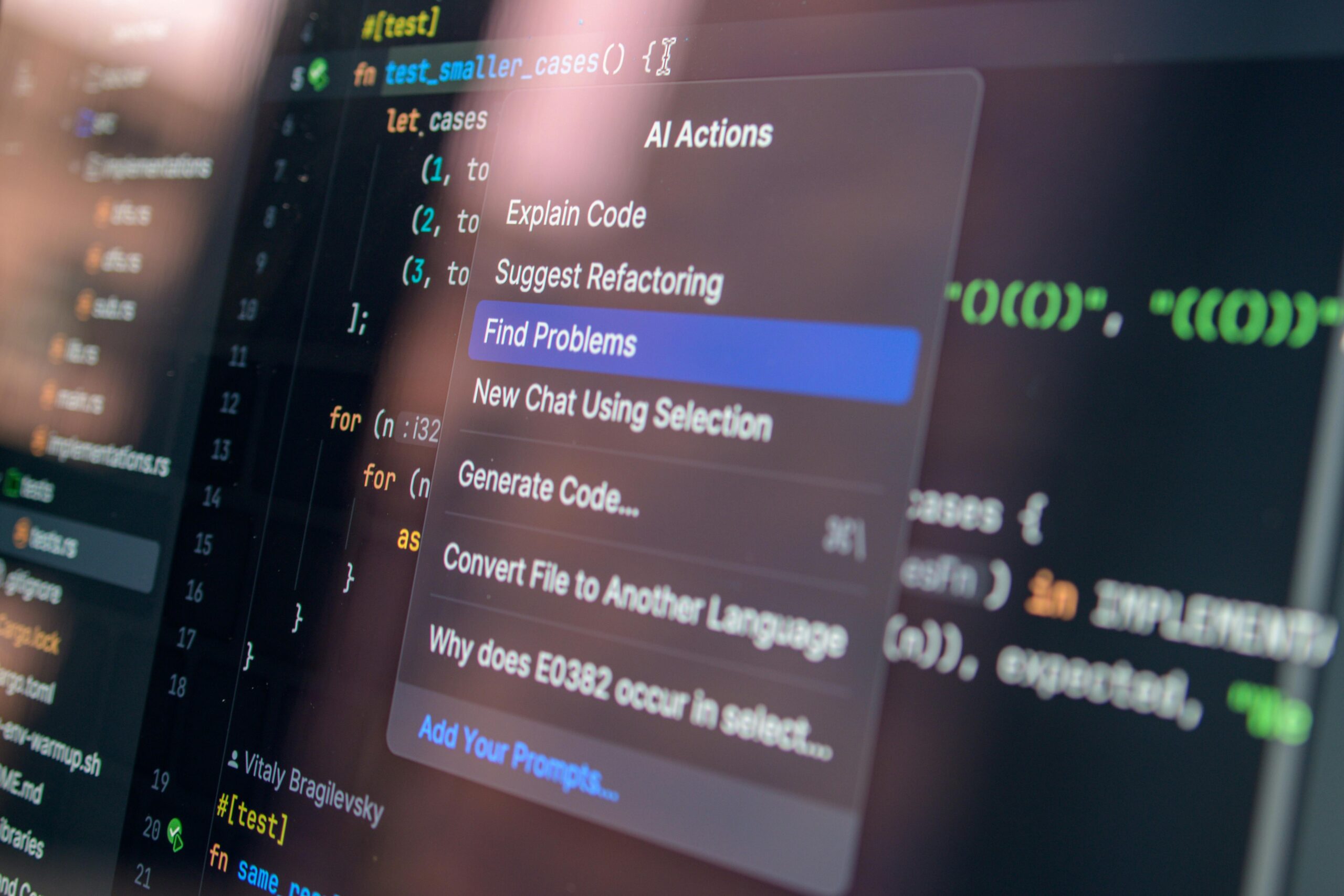

How AI Coding Assistants Can Help Debugging Faster
Debugging has always been one of the most time-consuming and mentally demanding parts of software development. Whether you’re dealing with elusive bugs, complex codebases, or unexpected runtime errors, the process can stall progress and slow down deployment cycles. Fortunately, recent advancements in artificial intelligence have introduced AI coding assistants—powerful tools designed to help developers detect, analyze, and correct bugs faster than ever. These tools not only enhance developer productivity but also significantly reduce the risk of human error.
This article explores how AI coding assistants streamline debugging, discusses the top features that enhance troubleshooting, compares leading AI tools, and provides actionable insights for integrating them into your workflow. If you’re ready to spend less time fixing bugs and more time building great software, this guide is for you.
What Are AI Coding Assistants?
AI coding assistants are software tools powered by machine learning models trained on vast datasets of code. They can analyze patterns, detect anomalies, and make intelligent suggestions to improve code quality. Some tools operate as browser-based environments, while others integrate directly into IDEs like VS Code, IntelliJ, or PyCharm.
These assistants use predictive algorithms to provide real‑time suggestions, catch errors before they cause runtime failures, and even generate patches or explanations for defects. For debugging, their role is invaluable: they can trace logic, detect misconfigurations, and analyze complex dependencies far faster than traditional methods.
How AI Coding Assistants Help Debugging Faster
1. Automated Error Detection
AI models can inspect the structure, syntax, and behavior of code to identify potential issues instantly. Instead of waiting for compilation or unit tests to catch errors, an AI assistant flags them as you type, drastically reducing debugging time.
- Detection of syntax errors before execution
- Highlighting suspicious logic or anti‑patterns
- Spotting potential type mismatches or missing imports
By catching issues early, developers avoid long debugging cycles that often stem from tiny oversights.
2. Code Explanation for Faster Root Cause Analysis
When debugging unfamiliar code—or code written months ago—understanding intent can be one of the biggest hurdles. AI tools can summarize functions, explain logic, and describe how data flows through a program. This drastically accelerates the process of identifying root causes.
For example, an AI assistant can answer questions like: “Why is this function returning null?” or “How does this class handle API responses?” Instead of spending hours reading source files, developers get instant clarity.
3. Intelligent Bug Fix Suggestions
Some AI coding assistants can propose and implement bug fixes automatically. They analyze context—not just syntax—to recommend actionable corrections that align with the program’s intent.
- Suggesting correct variable names
- Fixing broken loops or conditionals
- Generating missing function definitions
- Correcting off‑by‑one errors in algorithms
Developers can accept, modify, or reject these suggestions, speeding up the patching workflow.
4. Test Case Generation for More Reliable Debugging
AI tools can create relevant test cases that cover corner cases developers may overlook. By producing unit tests and integration tests automatically, AI ensures that bugs are caught earlier and remain fixed.
- Generate new tests based on past failures
- Identify untested code paths
- Create expected output scenarios
This reduces regression bugs and verifies the correctness of fixes.
5. Enhanced Log and Error Message Interpretation
Complex error logs can overwhelm even experienced developers. AI assistants excel at interpreting logs, stack traces, and API failures by finding patterns and mapping issues to likely causes.
For example, they can identify whether a database timeout is due to connection pool issues, incorrect configuration, or a semaphore deadlock.
6. Cross‑File Dependency Tracking
In large codebases, bugs often arise from interactions between multiple files or modules. AI tools can understand and track these relationships, identifying where dependencies break down.
- Find where a function is called across the project
- Detect variable mutations affecting downstream logic
- Analyze asynchronous code for race conditions
This type of analysis is difficult to perform manually, especially under tight deadlines.
7. Refactoring Proposals to Prevent Future Bugs
AI assistants also provide proactive maintenance by suggesting code improvements that reduce bug probability. Cleaner, more efficient code leads to fewer issues and easier debugging later.
- Suggesting modularization
- Identifying duplicated logic
- Improving naming conventions
- Optimizing loops and queries
With AI guiding refactoring, teams maintain healthier codebases long term.
Top AI Coding Assistants for Faster Debugging
Multiple AI tools can assist with debugging, and each offers unique strengths. Below is a comparison of some popular options.
| AI Tool | Key Debugging Features | Affiliate Link |
| GitHub Copilot | Real‑time error detection, code explanations, test generation | Get Copilot |
| Amazon CodeWhisperer | AWS‑optimized debugging, security scans, performance insights | Try CodeWhisperer |
| Tabnine | Predictive debugging, privacy‑focused code suggestions | Explore Tabnine |
| Replit Ghostwriter | Full‑stack debugging, AI‑powered tests, automatic fixes | Use Ghostwriter |
Real‑World Examples of Faster Debugging with AI
Fixing a Null Pointer Exception
An AI assistant can inspect pointer logic and trace data flow to explain how a variable became null. It might recommend initializing the object earlier or adding a defensive check, reducing hours of manual debugging.
Optimizing API Error Handling
When an API fails with unclear error messages, AI can map the response to similar known failures and suggest a fix—such as adjusting request headers, fixing authentication, or handling network latency.
Detecting Race Conditions in Async Code
Traditional debugging tools struggle with concurrency, but AI can simulate execution paths, detect timing conflicts, and propose synchronization strategies.
Best Practices for Using AI Coding Assistants
- Always review AI-generated code for accuracy and security
- Use AI as a complement, not a replacement, for manual debugging
- Train your assistant on internal codebases when possible
- Integrate AI into CI/CD workflows for continuous analysis
- Encourage team adoption to maintain consistent code quality
When AI Should Not Replace Manual Debugging
AI provides tremendous value, but there are scenarios where manual debugging remains essential:
- Highly sensitive security‑critical code
- Deep architecture-level debugging
- Performance bottlenecks that require profiling tools
- Debugging issues caused by external systems like networks or hardware
That said, AI assistants still accelerate the initial investigation phase, even in these complex cases.
How to Choose the Right AI Debugging Tool
Before selecting an AI assistant, consider factors like:
- Programming languages supported
- IDE integration
- Security and privacy policies
- Team collaboration features
- Budget and scalability
For a more in‑depth comparison, check our detailed guide here: AI Coding Tools Comparison
Future of AI in Debugging
The next generation of AI coding assistants will focus even more on intelligent debugging capabilities. Emerging trends include:
- Predicting bugs before they appear based on coding patterns
- AI-powered static and dynamic analysis combined
- Multi-layer debugging that includes front-end, back-end, and infrastructure
- Automated regression fixing
As AI models grow more context-aware, debugging will become increasingly automated and faster.
Conclusion
AI coding assistants are transforming debugging from a tedious, manual task into a faster, smarter, and more efficient process. They analyze code instantly, detect complex bugs, interpret logs, generate tests, and propose fixes—all while helping developers understand the deeper logic behind their programs.
If you’re looking to reduce debugging time, improve software reliability, and accelerate development cycles, integrating an AI-powered coding assistant is one of the most impactful decisions you can make.
FAQ
Do AI coding assistants replace developers?
No. AI tools enhance developer productivity but still rely on human judgment for architectural decisions, complex debugging, and creative coding.
Are AI-generated fixes safe?
Most are safe when reviewed by developers. Always examine AI‑suggested patches before deploying to production.
Which languages do AI assistants support?
Most tools support popular languages like Python, JavaScript, Java, C#, and Go. Support varies by product.
Can AI help with legacy code debugging?
Yes. AI is especially effective at summarizing and analyzing old or unfamiliar codebases.
Do AI tools require internet connectivity?
Some operate offline, but many require cloud interaction for advanced features.



Leave a Reply