
Best RAM Kits for Overclocking and Performance
Introduction
When it comes to maximizing your PC’s speed, stability, and multitasking capabilities, investing in high‑quality RAM designed specifically for overclocking and performance is essential. Whether you’re building a high-end gaming rig, optimizing a workstation for video editing and 3D rendering, or simply pushing your hardware to the limit for benchmarking, the right RAM kit can make a dramatic difference.
In recent years, RAM technology has advanced rapidly, with faster frequencies, tighter timings, and improved thermal performance. The demand for overclocking‑optimized RAM has never been greater. This guide explores the best RAM kits for overclocking and performance, complete with detailed comparisons, advantages, and what to look for before making a purchase.
What Makes a RAM Kit Good for Overclocking?
Not all RAM is created equal—especially when your goal is to squeeze every last bit of speed from your system. Overclocking‑capable RAM is designed with more robust components, stability-focused firmware, and better heat dissipation.
Key Factors That Matter
- High frequency support (3600 MHz and above)
- Low latency (CL14–CL18 for most modern DDR4/DDR5 kits)
- Quality ICs (Samsung B‑die, Hynix A‑die, Micron E‑die)
- Advanced heat spreaders for cooling
- Strong motherboard compatibility
- XMP/EXPO profiles for easy tuning
Top RAM Kits for Overclocking and Performance
1. G.SKILL Trident Z Neo / Trident Z5 (DDR4 & DDR5)
G.SKILL’s Trident series remains the gold standard for enthusiasts. Known for exceptional stability and impressive overclocking headroom, these RAM kits consistently top benchmark charts and are widely used by extreme overclockers.
- Frequencies up to 8000 MHz (DDR5)
- Tight timings available for DDR4 (CL14–CL16)
- Premium heat spreaders
- Highly reliable Samsung and Hynix ICs
- RGB models for customizable lighting
Recommended purchase link: Check latest price
2. Corsair Dominator Platinum RGB
Corsair’s Dominator Platinum RGB line is famous for durability, advanced cooling, and stunning aesthetics. Featuring Dual‑Channel DHX cooling and high‑bin ICs, these RAM kits are excellent for both moderate and extreme overclocking.
- Patented cooling technology
- Hand‑sorted ICs for precision
- Available in DDR4 and DDR5
- Strong XMP compatibility
Recommended purchase link: View on retailer
3. Kingston Fury Renegade
Fury Renegade RAM packs serious overclocking potential and excellent thermal performance. Known for stability under load, it’s a favorite among PC gamers and workstation users alike.
- DDR5 speeds up to 8000 MHz
- Low latency tuned profiles
- Stylish heat spreader design
- Reliable Kingston quality control
Recommended purchase link: Check deals
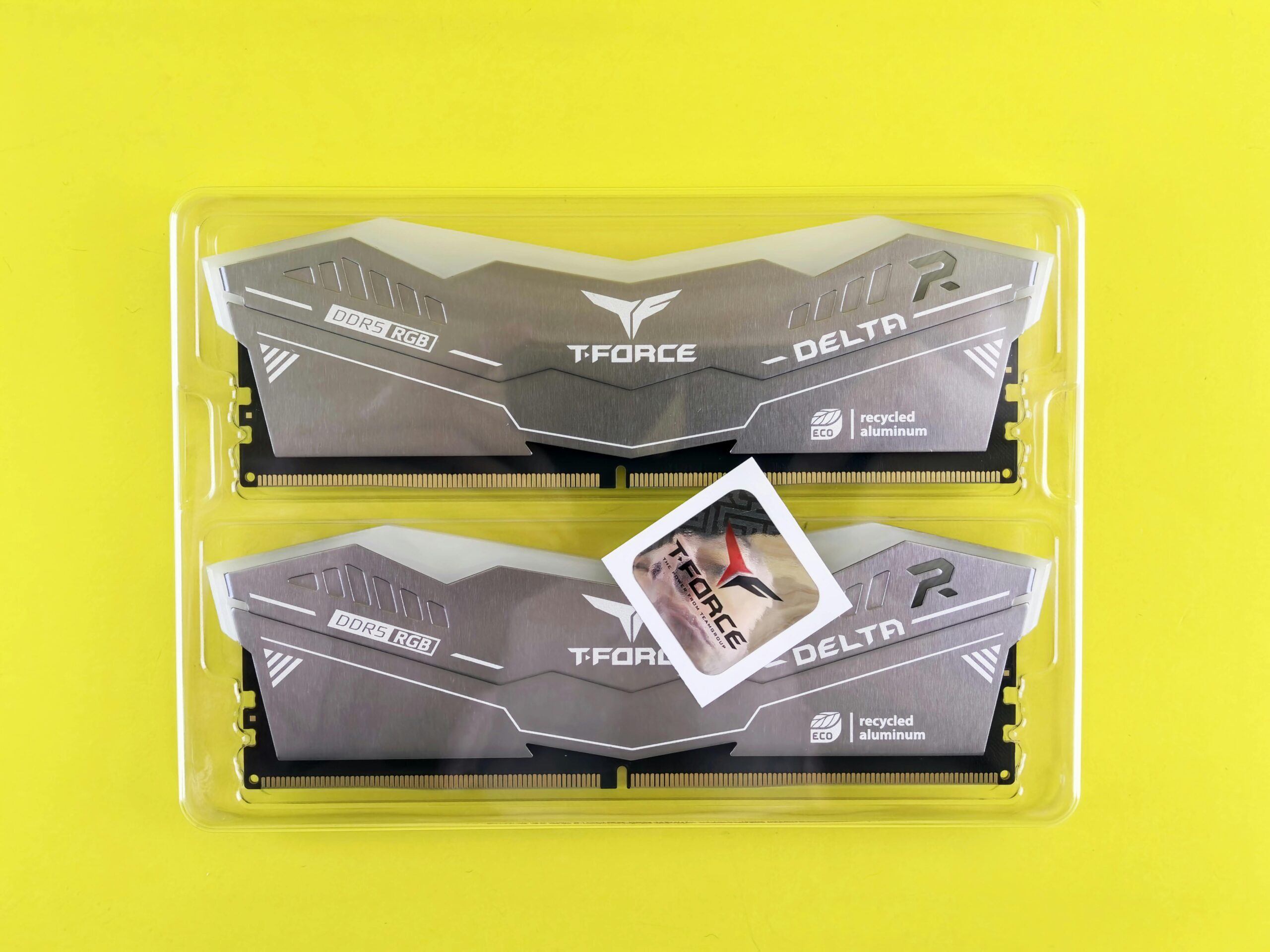
4. TeamGroup T‑Force Delta RGB
TeamGroup offers some of the best value in overclock‑friendly RAM. Their T‑Force Delta RGB kits combine performance, affordability, and strong IC binning, making them a top pick for users who want high speed without overspending.
- Excellent price‑to‑performance ratio
- Impressive overclocking flexibility
- Modern RGB aesthetics
- Stable at high frequencies
Recommended purchase link: Buy here
5. Crucial Ballistix (Legacy but Still Great)
Though officially discontinued, Crucial Ballistix RAM remains a favorite among enthusiasts who appreciate its outstanding Micron ICs. If you can find it, it’s one of the best DDR4 kits for overclocking.
- Highly tunable for manual overclocking
- Exceptional stability
- Available on secondary markets
- Strong thermal performance
Recommended purchase link: Find availability
Comparison Table: Best RAM Kits for Overclocking
| Model | Max Frequency | Latency | IC Type | Best For |
| G.SKILL Trident Z / Z5 | Up to 8000 MHz | CL14–CL40 | Samsung/Hynix | Extreme overclocking |
| Corsair Dominator Platinum RGB | Up to 7200 MHz | CL28–CL40 | Hand‑sorted ICs | Premium builds |
| Kingston Fury Renegade | Up to 8000 MHz | CL32–CL40 | Hynix | Gaming & workstations |
| TeamGroup T‑Force Delta | Up to 7600 MHz | CL30–CL40 | Hynix | Budget‑friendly overclocking |
| Crucial Ballistix | Up to 5100 MHz | CL16–CL19 | Micron E‑die | DDR4 manual tuning |
How to Choose the Best RAM for Overclocking
1. Choose the Right Frequency
Frequency directly affects performance in gaming and productivity. For overclockers, higher is better—especially with DDR5.
- DDR4 sweet spot: 3600–4000 MHz
- DDR5 sweet spot: 6000–7200 MHz
2. Look for Low Latency
Latency affects responsiveness and consistency. Lower CL values are ideal, especially for competitive gaming and real‑time workloads.
3. Prioritize Quality ICs
The RAM’s integrated circuits determine how far it can be overclocked. High‑quality ICs such as Samsung B‑die are prized for a reason.
4. Consider Cooling and Aesthetics
Better cooling equals higher stable overclocks. RGB isn’t necessary, but many users prefer it for custom PC builds.
5. Ensure Motherboard Compatibility
Check QVL lists and reviews. High-frequency RAM needs a strong motherboard and CPU memory controller.
Best Use Cases for Overclocking RAM
Gaming
Modern games—especially esports titles—benefit significantly from high-frequency RAM. Faster RAM reduces frame time spikes and improves stability.
Content Creation
Video editing, 3D rendering, and large-scale multitasking workloads benefit heavily from faster RAM with low latency.
Benchmarking
Enthusiasts often push RAM beyond XMP/EXPO profiles for record-setting performance. For this, IC quality and cooling are crucial.
Recommended Overclocking Motherboards
Pairing your RAM with a capable motherboard helps achieve the best performance. Popular choices include:
- ASUS ROG Maximus series
- MSI MEG Unify and Godlike series
- Gigabyte AORUS Master and Extreme
- ASRock Taichi boards
See our motherboard guide here: Best Motherboards for Overclocking
FAQ
What is the best RAM for overclocking?
G.SKILL Trident Z5 (DDR5) and Trident Z Neo (DDR4) are widely considered top-tier for both stability and overclocking headroom.
Is higher frequency or lower latency more important?
Both matter, but frequency tends to have a larger impact on overall performance in gaming and productivity tasks.
Do I need special cooling for overclocked RAM?
Not always, but for extreme overclocking, a motherboard with strong VRM cooling and good case airflow is recommended.
Is DDR5 better for overclocking than DDR4?
Yes. DDR5 offers higher frequencies and better performance potential, though DDR4 still has excellent latency advantages in some cases.
Can all RAM be overclocked?
Technically yes, but high-quality ICs and reliable heat spreaders are required for safe, stable overclocking above factory ratings.
Conclusion
Choosing the best RAM kit for overclocking and performance depends on your goals, platform, and budget. Whether you’re a gamer aiming for ultra‑smooth framerates, a content creator needing high bandwidth for large workloads, or an enthusiast chasing benchmark records, there is a RAM kit designed to meet your needs.
G.SKILL, Corsair, Kingston, TeamGroup, and Crucial all offer outstanding choices with unique strengths in frequency, latency, and thermal design. By understanding what matters most—IC type, timings, cooling, and compatibility—you can confidently select the right RAM to take your system to the next level.
Ready to upgrade? Explore our full buying guide here: Best PC Components for Performance Builds









