
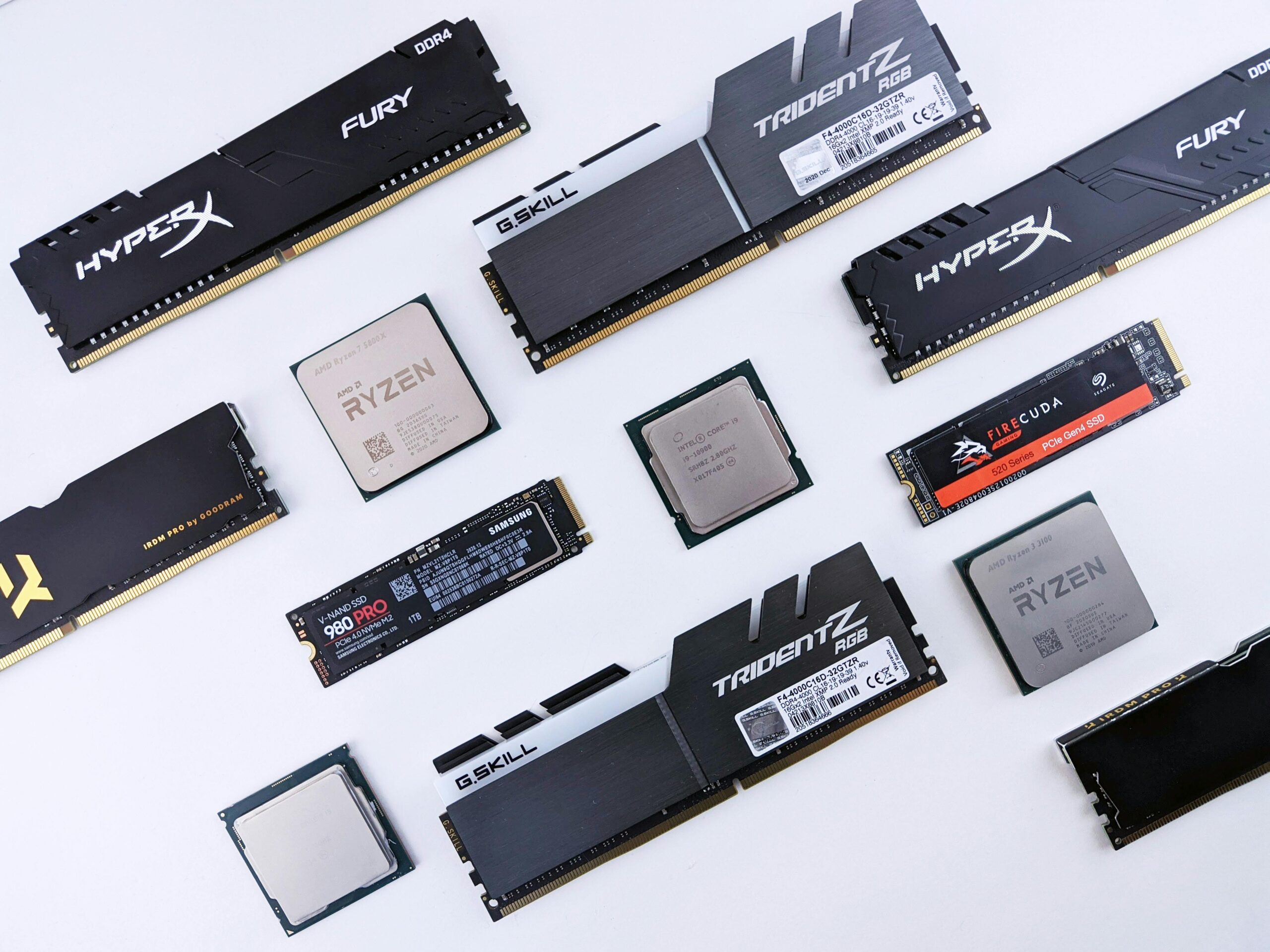
Choosing the Right RAM Speed for Ryzen CPUs: The Complete Guide
Choosing the right RAM speed for Ryzen CPUs is one of the most important decisions when building or upgrading a PC. Unlike many Intel processors, AMD Ryzen chips rely heavily on memory speed and latency to unlock their full performance potential. Because of this architecture, RAM choice directly impacts gaming smoothness, productivity tasks, rendering speed, and overall system responsiveness.
This comprehensive guide explains everything you need to know about selecting RAM for Ryzen processors, whether you’re choosing memory for an older Ryzen 1000-series chip or optimizing a brand‑new Ryzen 7000-series build. We’ll also explore clock speeds, timings, Infinity Fabric behavior, recommended configurations, and verified best‑value RAM kits. You will also find helpful comparison tables, FAQs, and affiliate link placeholders to assist you in finding the right components for your needs.
Why RAM Speed Matters More on Ryzen
AMD’s Ryzen CPUs use an architecture that links the CPU cores, cache, memory controller, and I/O components together via a system known as Infinity Fabric (FCLK). This interconnect operates at a specific frequency and ideally runs in synchronization with your RAM speed (MCLK) and memory controller speed (UCLK).
When memory, memory controller, and Infinity Fabric run at synchronized speeds (commonly called a 1:1:1 ratio), the CPU achieves optimal performance. Desynchronization introduces latency penalties that reduce FPS in games and slow down memory‑dependent workloads. This is why choosing the right RAM speed for Ryzen is more important than simply purchasing the most expensive kit available.
Understanding Key RAM Terminology
1. Memory Frequency (MHz)
RAM speed is measured in megahertz (MHz). Higher frequencies generally mean higher bandwidth, faster data transfer, and improved performance. However, Ryzen CPUs support certain ranges of memory speeds natively, and going above those ranges may require manual tuning or may not yield meaningful gains.
2. Memory Timings (CAS Latency and More)
Timings measure how quickly memory responds to commands. Lower timings (such as CL14 vs. CL16) mean lower latency and faster performance. Two RAM kits with the same MHz can differ significantly in responsiveness because of their timings.
3. XMP / DOCP / EXPO Profiles
Modern RAM kits include overclocking profiles:
- XMP (Intel)
- DOCP (ASUS AMD boards)
- EOCP (Gigabyte AMD boards)
- EXPO (AMD DDR5 standard)
These profiles allow RAM to automatically run at advertised speeds without manual tuning.
4. Infinity Fabric Clock (FCLK)
The Infinity Fabric clock should ideally run in sync with the memory clock. For DDR4 systems, this typically means a 1:1 ratio, and for DDR5 systems, the relationship is handled differently but still impacts latency.
Best RAM Speeds for Different Ryzen Generations
Each Ryzen generation has different sweet spots for memory speed and Infinity Fabric stability. Below is a detailed breakdown.
Ryzen 1000 and 2000 Series (Zen and Zen+)
The earliest Ryzen chips struggled with very high memory speeds. The sweet spot for these CPUs typically lies around:
- 2666 MHz (base supported)
- 2933 MHz (good value target)
- 3200 MHz CL16 (best balanced performance)
Higher speeds may be possible on good motherboards, but diminishing returns are common.
Ryzen 3000 Series (Zen 2)
With the arrival of Zen 2, AMD significantly improved memory controllers. The best memory speed for Ryzen 3000 is:
- 3600 MHz CL16
This allows a stable 1:1 FCLK of 1800 MHz for most CPUs, delivering excellent gaming and productivity performance.
Ryzen 5000 Series (Zen 3)
Zen 3 CPUs maintain similar memory behavior to Zen 2 but can often handle slightly higher fabric clocks. Recommended speeds include:
- 3600 MHz CL16 (most stable and cost-effective)
- 3800 MHz CL16/CL18 (if the CPU can handle 1900 MHz FCLK)
Most users should target 3600 MHz for optimal ease and stability.
Ryzen 7000 Series (Zen 4, DDR5 Only)
Ryzen 7000 introduces DDR5 and moves away from the old 1:1 fabric synchronization rule. Instead, DDR5 uses separate clocks, and latency improvements from tuning matter more than raw speed. Recommended sweet spot:
- 6000 MHz CL30 EXPO
AMD themselves list 6000 MHz as the optimal DDR5 speed for Ryzen 7000 due to its balance of speed, latency, and stability.
Recommended RAM Speeds by Ryzen Generation
| Ryzen Generation | Optimal RAM Speed | Notes |
| Ryzen 1000 | 2933–3200 MHz | Early IMC limitations |
| Ryzen 2000 | 3000–3200 MHz | Better stability |
| Ryzen 3000 | 3600 MHz CL16 | Best 1:1 FCLK sync |
| Ryzen 5000 | 3600–3800 MHz | Increasing FCLK potential |
| Ryzen 7000 | 6000 MHz CL30 EXPO | DDR5 architecture |
Single vs. Dual vs. Quad Channel for Ryzen
Channel configuration plays a major role in system performance. Ryzen CPUs perform best when memory bandwidth is maximized, and this requires a dual-channel setup at minimum.
- Single channel: Lowest performance, large FPS drops in games
- Dual channel: Ideal for almost all Ryzen builds
- Quad channel: Only available on Threadripper
Even if you only need 16 GB of RAM, always opt for 2×8 GB instead of a single 16 GB stick.
SR vs. DR (Single Rank vs. Dual Rank) Considerations
Dual-rank modules often provide better performance on Ryzen CPUs due to improved memory interleaving. Many 32 GB kits (2×16 GB) are dual rank, while most 8 GB sticks are single rank.
For best performance per dollar, a dual-rank kit at 3600 MHz is one of the strongest options for DDR4 Ryzen systems.
Recommended RAM Kits (with Affiliate Placeholders)
- Best Budget DDR4: 3200 MHz CL16 – View Price
- Best Performance DDR4: 3600 MHz CL16 – View Price
- Best DDR5 for Ryzen 7000: 6000 MHz CL30 EXPO – View Price
- Best Low-Latency DDR4: 3600 MHz CL14 B‑Die – View Price
How to Choose RAM for Gaming vs. Productivity
Gaming Workloads
Games benefit from lower latency and stable 1:1 Infinity Fabric synchronization. For most gamers:
- Ryzen 3000/5000: 3600 MHz CL16 is ideal
- Ryzen 7000: 6000 MHz CL30 EXPO
Productivity Workloads
Rendering, editing, and 3D modeling benefit from higher capacities and bandwidth. For creators, prioritize:
- 32–64 GB of RAM
- Dual- or quad-rank modules
- 3600–6000 MHz depending on platform
Common Mistakes When Choosing RAM for Ryzen
- Buying single-channel RAM kits
- Choosing very high MHz with poor timings
- Ignoring motherboard QVL compatibility lists
- Overestimating the benefits of overly expensive RAM
- Buying DDR5 RAM for older Ryzen platforms
When Higher RAM Speeds Are NOT Worth It
Beyond certain thresholds, additional memory speed provides almost no real‑world benefit. For example, on Ryzen 3000/5000, jumps from 3600 MHz to 4000 MHz typically reduce Infinity Fabric synchronization, worsening performance. On Ryzen 7000, very high DDR5 speeds may increase latency despite higher bandwidth.
Always balance speed, latency, and cost rather than chasing maximum MHz numbers.
Internal Resources
For more detailed tuning guides, visit our performance optimization hub: Ryzen Optimization Resources.
FAQ: Choosing the Right RAM Speed for Ryzen CPUs
Does Ryzen really benefit from faster RAM?
Yes. Ryzen’s architecture relies heavily on memory speed and latency, making RAM choice more impactful than on most Intel CPUs.
Is 3600 MHz still the sweet spot for Ryzen?
For DDR4 Ryzen systems (3000 and 5000 series), 3600 MHz CL16 remains the ideal balance of performance and stability.
What is the best RAM speed for Ryzen 7000?
6000 MHz CL30 EXPO offers the highest stability and lowest latency for DDR5‑based Ryzen 7000 CPUs.
Do I need dual-channel memory?
Yes. Dual-channel provides significantly improved performance versus single-channel, especially for gaming and multitasking.
Is low latency more important than high frequency?
Both matter. Optimal RAM kits strike a balance between high MHz and low CAS latency for the best overall performance.
Conclusion
Choosing the right RAM speed for Ryzen CPUs is critical for maximizing system performance. From the early DDR4‑based Ryzen generations to the latest DDR5‑powered Ryzen 7000 series, the optimal RAM configuration depends on understanding memory frequencies, timings, Infinity Fabric synchronization, and workload requirements. With the guidance above, you can confidently select memory that delivers the best balance of speed, stability, and value for your Ryzen build.









