
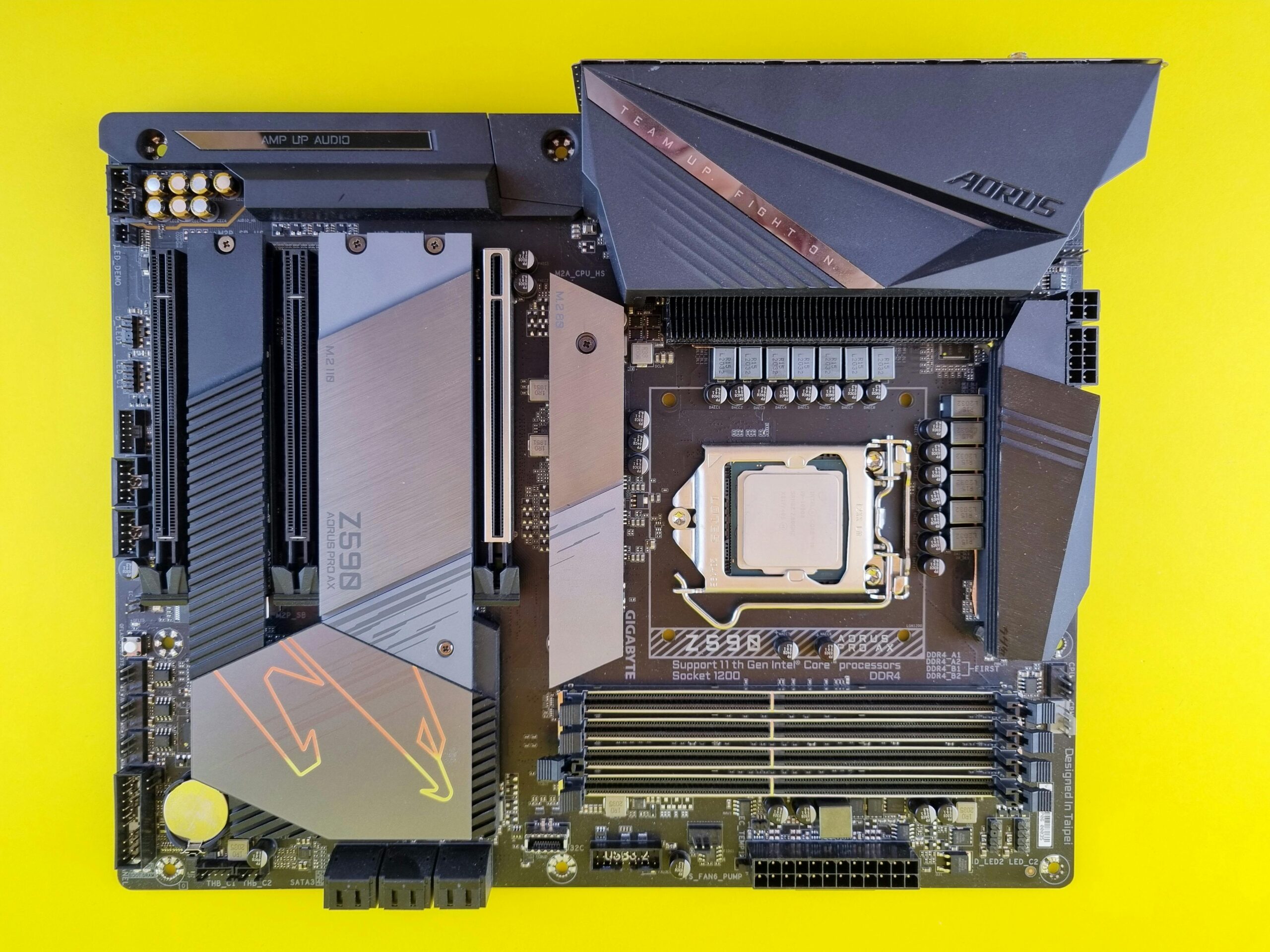
Motherboard Audio Enhancements: Are They Worth It?
Motherboard audio has evolved dramatically over the past decade. Once considered a low-end, utilitarian feature, onboard audio systems now boast high-definition sound codecs, enhanced signal isolation, improved DAC (digital-to-analog converter) performance, and even audiophile-level components on some premium boards. But the big question remains: Are these motherboard audio enhancements actually worth it? Or should users still consider dedicated sound cards or external DAC/amp setups?
This comprehensive guide explores how modern motherboard audio works, what enhancements really do, how they compare to external audio solutions, and whether investing in upgraded sound features makes sense for gaming, music production, home theater setups, and everyday users. By the end, you’ll have a clear understanding of whether enhanced motherboard audio is worth your money—and what to buy instead if it’s not.
What Are Motherboard Audio Enhancements?
Motherboard audio enhancements refer to a collection of design improvements and higher‑quality components meant to elevate the onboard audio experience. While basic audio codecs offer functional sound output, enhanced onboard audio focuses on clarity, signal strength, noise reduction, and immersive sound reproduction.
Common Audio Enhancements Found on Modern Motherboards
- High-end audio codecs such as Realtek ALC1200, ALC1220, and ALC4080
- Isolated audio PCB layers to reduce electrical interference
- High-quality capacitors designed for stable, low-noise audio output
- Dedicated headphone amplifiers
- Gold-plated audio jacks for improved conductivity
- Support for high-resolution audio formats
- Optical audio outputs for clean digital sound transfer
- Automatic impedance detection for better headphone power delivery
These enhancements aim to close the gap between integrated audio and dedicated sound cards. But how well do they succeed?
How Good Is Modern Motherboard Audio?
In most mid-range and high-end motherboards, onboard audio is surprisingly capable. Today’s audio chipsets deliver clean, distortion-free sound suitable for gaming, movies, and general music playback. In fact, for the majority of users, enhanced onboard audio is more than sufficient.
However, performance varies depending on how the manufacturer implements the audio subsystem. Two boards using the same codec can deliver different results if one uses isolated audio pathways and premium capacitors while the other uses cheaper, unshielded components.
Strengths of Modern Motherboard Audio
- Excellent sound quality for everyday use
- No additional hardware required
- Good support for gaming headsets and common headphones
- Inexpensive compared to external DACs or sound cards
- Reliable digital outputs for home theater setups
Weaknesses of Modern Motherboard Audio
- Not as powerful as standalone amplifiers
- Susceptible to electrical noise from nearby components
- Limited by motherboard manufacturing constraints
- Mid-range headphones may still underperform
- Music producers may require more detailed monitoring accuracy
Onboard Audio vs. Dedicated Sound Cards vs. External DACs
To decide whether motherboard audio enhancements are worth it, it helps to compare them to the main alternatives: dedicated internal sound cards and external USB DAC/amp setups.
| Feature | Motherboard Audio | Dedicated Sound Card | External DAC/Amp |
| Sound Quality | Good | Very Good to Excellent | Excellent |
| Noise Levels | Moderate | Low | Very Low |
| Headphone Power | Low to Medium | Medium to High | High |
| Setup Complexity | None | Moderate | Low |
| Price | Included | $$ | $$$ |
If you’re considering upgrading, you can explore high-quality DAC options via {{AFFILIATE_LINK}} or read more about sound optimization at {{INTERNAL_LINK}}.
Who Actually Benefits From Motherboard Audio Enhancements?
While enhanced onboard audio is good, it isn’t ideal for everyone. Let’s break down who benefits most from these improvements.
Gamers
Gamers are one of the biggest winners when it comes to improved onboard audio. Many modern motherboards support surround virtualization, positional audio enhancements, and high-quality headphone amplification.
- Better directional awareness in competitive games
- Cleaner sound effects and soundtrack reproduction
- Supports most gaming headsets without extra hardware
For most gamers, enhanced motherboard audio is fully adequate and often indistinguishable from dedicated sound cards.
Music Listeners
Casual music listeners will find enhanced onboard audio more than satisfactory. High-resolution playback support and cleaner output provide significant upgrades compared to older systems.
However, audiophiles or critical listeners may still notice limitations, especially in soundstage reproduction, dynamic range, and distortion at high volumes.
Home Office and Everyday Users
For general use—video calls, YouTube, productivity apps—enhanced motherboard audio is far beyond what most users need. Spending extra on sound cards or DACs rarely provides noticeable improvements for everyday tasks.
Content Creators and Music Producers
This group benefits the least from onboard audio enhancements. Studio-quality monitoring requires extremely accurate and consistent sound reproduction, something onboard audio cannot fully deliver due to electrical noise and limited amplification power.
External audio interfaces or professional DACs are strongly recommended for creators.
Are High-End Motherboard Audio Features Worth Paying For?
Some premium motherboards advertise elaborate audio systems with names like “SupremeFX,” “Audio Boost,” or “AMP-UP Audio.” These enhancements sometimes justify their cost, but not always.
When High-End Motherboard Audio IS Worth It
- You want a clean, plug-and-play setup with no external devices.
- You have mid-range headphones that don’t require strong amplification.
- You play competitive games and want good positional audio.
- You consume movies or music casually.
When High-End Motherboard Audio IS NOT Worth It
- You own high-impedance audiophile headphones.
- You require professional audio monitoring.
- You notice electrical noise or interference in your current setup.
- You want the best sound quality possible.
In these cases, consider a USB DAC/amp combination, such as the popular models found at {{AFFILIATE_LINK}}.
Signs You Should Upgrade Beyond Onboard Audio
Even if your motherboard includes enhanced audio features, you may still benefit from an upgrade. Look for signs such as:
- Static or buzzing noise during USB or GPU load
- Low maximum volume when using high-impedance headphones
- Flat or muddy sound during music playback
- Inconsistent microphone quality for streaming or meetings
- Lack of driver features or customization options
If you experience any of these issues, external audio equipment can provide substantial improvements.
Recommended Audio Alternatives
If you determine that your motherboard audio enhancements are not sufficient, several upgrade options exist:
External DACs and Amps
- Best overall audio quality
- Portable and platform independent
- Minimal electrical noise
Explore popular DAC/amp options here: {{AFFILIATE_LINK}}
Dedicated Sound Cards
- Powerful software features
- Better surround virtualization
- Good middle‑ground between onboard and external DACs
Learn more about optimizing your system: {{INTERNAL_LINK}}
Final Verdict: Are Motherboard Audio Enhancements Worth It?
For the majority of users—gamers, everyday listeners, and general-purpose PC owners—motherboard audio enhancements are absolutely worth it. They offer significant improvements over older onboard systems and deliver high-quality sound without requiring extra purchases.
However, enthusiasts and professionals who demand top-tier audio quality will still benefit from external DACs, dedicated sound cards, or professional audio interfaces. Enhanced onboard audio has improved dramatically, but it cannot match the precision, power, and isolation of specialized audio hardware.
Ultimately, motherboard audio enhancements are “worth it” for most people—but they are not a one-size-fits-all solution. Evaluate your needs, equipment, and expectations to determine whether sticking with onboard audio or upgrading to a dedicated solution is the right choice.
FAQ
Is motherboard audio good enough for gaming?
Yes. Modern enhanced onboard audio provides excellent positional and immersive sound for gaming, making dedicated sound cards unnecessary for most players.
Do I need a DAC if my motherboard has high-end audio?
Not unless you have high-impedance headphones or require superior sound fidelity for music production or audiophile listening.
Why does my onboard audio have buzzing noise?
This often comes from electrical interference from components like GPUs or USB controllers. External DACs eliminate this issue entirely.
Are audio enhancements on motherboards just marketing?
Some are, but many improvements—like isolated audio channels and better DACs—offer real benefits in clarity and noise reduction.
Should I upgrade my motherboard for better audio?
Only if your current board has very outdated or noisy audio. Otherwise, an external DAC is a more cost-effective upgrade.









