
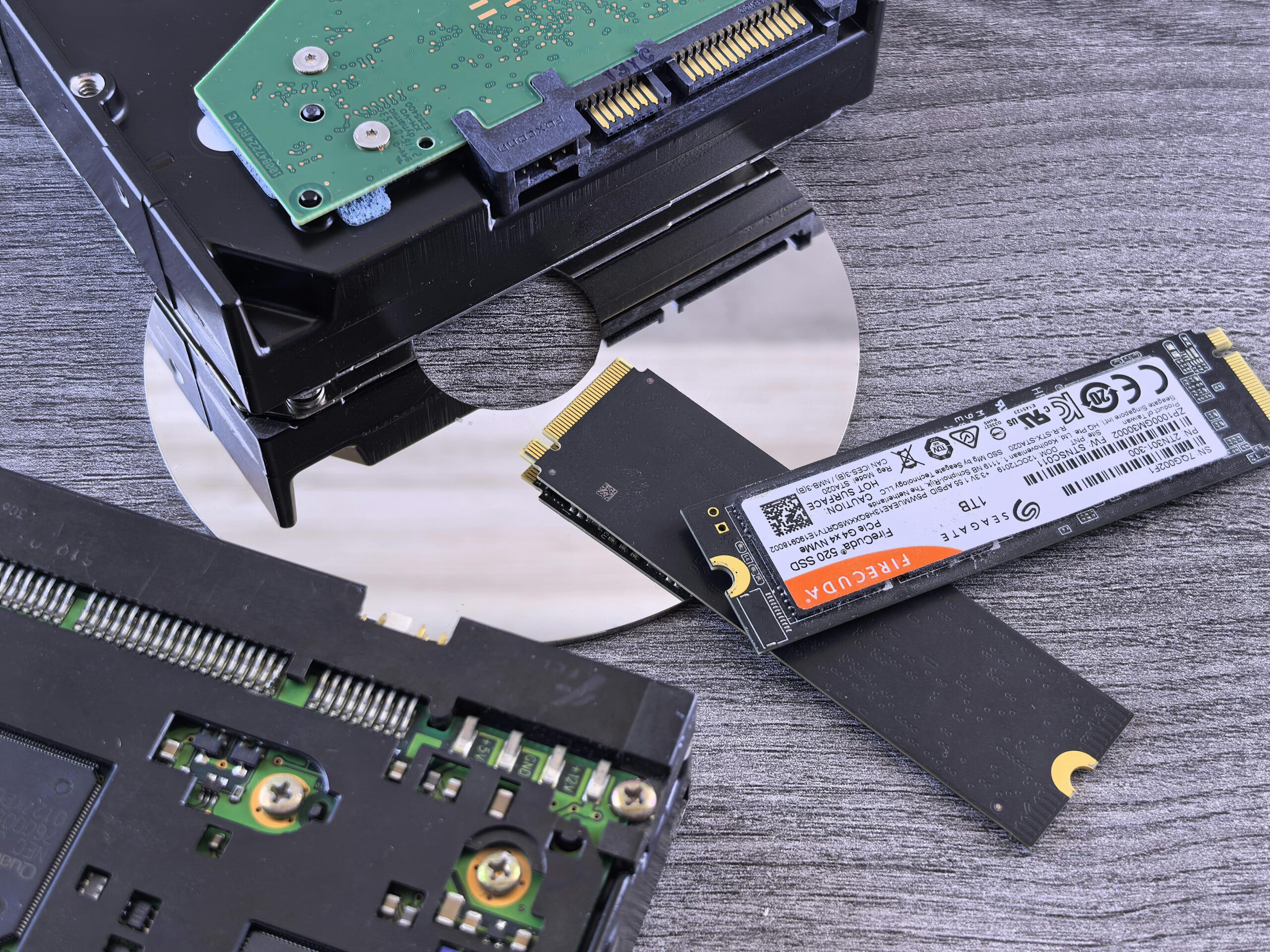
NVMe vs SATA SSDs: Which Should You Buy?
Choosing between NVMe and SATA SSDs is one of the most important upgrades you can make to speed up your computer. Whether you are building a new PC, upgrading a laptop, or improving your gaming performance, the type of SSD you choose will significantly affect speed, responsiveness, and long-term usability. This guide provides a deep, SEO-friendly comparison of NVMe vs SATA SSDs to help you decide which storage technology best suits your needs.
What Are SATA SSDs?
SATA SSDs are solid-state drives that use the SATA III interface, a technology originally designed for traditional hard drives. Although SATA is much faster than old mechanical drives, its maximum bandwidth is limited. SATA SSDs typically top out at around 550 MB/s, which is fast compared to HDDs but slow compared to modern NVMe SSDs.
How SATA SSDs Work
SATA SSDs connect via either a 2.5-inch SATA cable or an mSATA/M.2 SATA slot. They use the AHCI protocol, which was created for spinning hard drives. Because AHCI isn’t optimized for flash storage, SATA SSDs can’t reach the speed potential of modern NAND technology.
Advantages of SATA SSDs
- Lower cost compared to NVMe drives
- Excellent upgrade for older systems
- Widely compatible with desktops and laptops
- Good performance for basic computing
Disadvantages of SATA SSDs
- Slower transfer speeds
- Higher latency compared to NVMe
- Not ideal for heavy workloads or gaming
What Are NVMe SSDs?
NVMe (Non-Volatile Memory Express) SSDs use the PCIe interface, offering dramatically higher performance than SATA SSDs. NVMe drives are optimized for flash storage and can achieve speeds from 2,000 MB/s to over 7,000 MB/s, depending on the PCIe generation and drive model.
How NVMe SSDs Work
NVMe drives connect through an M.2 or PCIe slot on the motherboard. Because NVMe uses the PCIe protocol, it supports multiple queues and faster access times, enabling far higher throughput than SATA drives.
Advantages of NVMe SSDs
- Extremely fast read/write speeds
- Significantly lower latency
- Ideal for gaming, editing, and multitasking
- Future-proof for modern computing
Disadvantages of NVMe SSDs
- More expensive than SATA SSDs
- Older systems may lack NVMe support
- Can run hotter depending on usage
NVMe vs SATA SSD Performance Comparison
The most significant difference between NVMe and SATA drives is performance. NVMe SSDs are vastly faster, but the real-world impact varies depending on the workload. Below is a performance comparison table:
| Feature | SATA SSD | NVMe SSD |
| Max Speed | ~550 MB/s | 2,000–7,500+ MB/s |
| Latency | Higher | Lower |
| Best For | Everyday use, older PCs | Gaming, editing, multitasking |
| Price | Lower | Higher |
| Compatibility | Very high | Depends on motherboard |
Real-World Performance Differences
Although benchmarks show NVMe as the clear winner, real-world performance varies depending on how you use your computer.
Gaming Impact
NVMe SSDs reduce loading times in many modern games, especially large open-world titles. While the difference may not always be dramatic, NVMe drives improve texture streaming and minimize stutter in asset-heavy environments.
Productivity Impact
For video editors, software developers, and content creators, NVMe drives provide huge boosts. Large file transfers, caching, virtual machines, and 4K video editing all benefit from NVMe speeds.
Everyday Use
For normal web browsing, office applications, or streaming, SATA SSDs perform similarly to NVMe drives. If your workload is light, you may not need NVMe.
Price Comparison: NVMe vs SATA
The cost difference between SATA and NVMe has decreased in recent years. However, NVMe still tends to be more expensive per gigabyte. You can find affordable NVMe drives, especially PCIe 3.0 models, but high-capacity PCIe 4.0 and 5.0 models cost significantly more.
If you’re upgrading from an HDD, even a budget SATA SSD will feel life-changing. But if you’re aiming for the best performance, NVMe is worth the investment.
Compatibility Considerations
Before choosing an SSD, ensure your system supports your preferred type.
Does Your Motherboard Support NVMe?
Most modern motherboards support NVMe via M.2 slots, but older systems might only support SATA. Always check your motherboard manual.
Laptops and NVMe Compatibility
Many modern laptops support NVMe, but some have SATA-only M.2 slots. Make sure to confirm before buying.
Which SSD Should You Buy?
The answer depends on your needs and budget. Below are the best recommendations based on common use cases.
Best for Gaming
NVMe. Faster loading times and smooth gameplay make NVMe the top gaming choice. If you’re building a new gaming PC, NVMe is strongly recommended. Consider models such as those available at {{AFFILIATE_LINK}}.
Best for Everyday Use
SATA SSDs are perfectly adequate. They offer excellent performance for browsing, streaming, and office work. Check affordable options here: {{AFFILIATE_LINK}}.
Best for Professional Workflows
NVMe is the clear winner. The speed improvements dramatically benefit video editors, programmers, and power users. Browse top-performing NVMe drives at {{AFFILIATE_LINK}}.
Future-Proofing Your Storage
NVMe is increasingly becoming the standard. PCIe 5.0 SSDs are already on the market, pushing speed limits even further. While SATA isn’t disappearing soon, it is unlikely to receive any major future improvements.
If you’re planning a long-term system upgrade, NVMe is the smarter investment.
Recommended NVMe and SATA SSDs
Here are some reliable SSD models worth considering:
Top NVMe SSDs
- Samsung 990 Pro – High-performance PCIe 4.0 option ({{AFFILIATE_LINK}})
- WD Black SN850X – Excellent for gaming and content creation ({{AFFILIATE_LINK}})
- Crucial P5 Plus – Affordable PCIe 4.0 performance ({{AFFILIATE_LINK}})
Top SATA SSDs
- Samsung 870 EVO – Industry-leading SATA reliability ({{AFFILIATE_LINK}})
- Crucial MX500 – Excellent value for everyday users ({{AFFILIATE_LINK}})
- Western Digital Blue 3D – Reliable and budget-friendly ({{AFFILIATE_LINK}})
Internal Resources
For more storage guides and buying tips, visit our internal resource here: {{INTERNAL_LINK}}
FAQ: NVMe vs SATA SSDs
Is NVMe always faster than SATA?
Yes. NVMe uses the PCIe interface, which is significantly faster than SATA’s AHCI protocol.
Do NVMe SSDs improve FPS in games?
No. SSDs do not increase FPS, but NVMe can reduce loading times and stuttering.
Is a SATA SSD still worth buying?
Yes. SATA SSDs offer excellent value for older systems and basic computing needs.
Can you use NVMe in a SATA-only port?
No. NVMe requires PCIe connectivity, and SATA-only ports cannot support NVMe drives.
Which lasts longer: NVMe or SATA?
Lifespan depends on the model, not the interface. Both can last many years.
Do I need a heatsink for NVMe SSDs?
High-performance NVMe drives can run hot, and a heatsink is recommended for optimal temperatures.
Final Verdict: NVMe vs SATA SSDs
If you want maximum speed, future-proof performance, and fast loading times, NVMe SSDs are the best choice. For budget builds, office work, or older systems, SATA SSDs offer great performance at a lower price. Ultimately, the right choice depends on your system compatibility and performance needs—but NVMe is clearly the direction the industry is moving.









